USDT Wallets: Choose an App, Secure It and Find Your Address
A USDT wallet must support the network and token version you intend to hold. Choose who should control the keys first, then select an app or hardware setup that can manage that specific balance.
A wallet app displays blockchain balances and prepares transactions. A self-custody backup restores control of supported accounts; a password reset for a hosted exchange restores access to that platform's account instead.
Choose a Wallet by How You Will Use It
Choose the custody model before comparing brands. A hosted exchange controls the signing keys and applies its own withdrawal rules; a self-custody wallet gives you signing control and makes the backup your responsibility.
The matrix below covers two common USDT networks, not each product's complete support list. It reflects the linked vendor documentation checked on 22 October 2026; confirm support in your installed app before funding it.
| Setup | Ethereum USDT (ERC20) | TRON USDT (TRC20) | Practical choice criterion |
|---|---|---|---|
| Trust Wallet mobile | Supported; choose the Ethereum token entry | Supported; choose the TRON token entry | Phone-based access with separate network balances |
| MetaMask | Supported on Ethereum | Supported through its TRON account | Browser/mobile access; select the correct chain account |
| Ledger signer + Ledger Wallet app | Managed through an Ethereum account | Managed through a TRON account | Physical signing and on-device verification |
Trust Wallet's USDT page covers its token setup, and its TRC20 documentation confirms TRON support. MetaMask's TRON guide confirms native TRON support: older advice that MetaMask cannot hold TRC20 USDT is outdated. Ledger's USDT account guide describes separate Ethereum and TRON accounts.
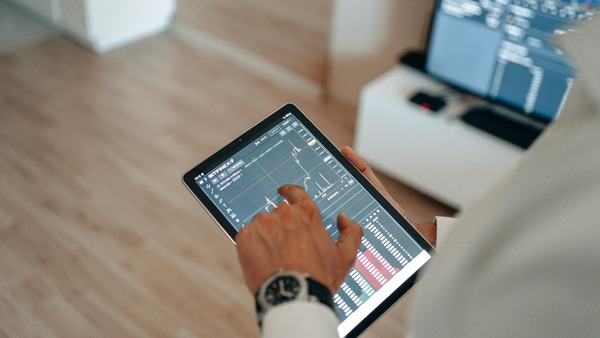
For a payment balance you use from a phone, prioritize clear receiving screens, reliable backup and readable signing prompts. For a balance you access infrequently, a hardware signer provides a separate approval device, but it still requires careful transaction review and backup protection. Neither setup removes the token issuer's powers.
For example, a person receiving TRON USDT every month can use the verified TRON entry in a compatible app without introducing Ethereum. A person who also uses Ethereum applications should create clearly named accounts such as “TRON payments” and “Ethereum apps,” rather than treating both token balances as one spendable pool.
Create and Back Up a Mobile Wallet
In a new Trust Wallet installation, the basic sequence is to create a wallet, secure access and save its recovery method. Screen wording can change with the app version, so follow the official app's prompts rather than a search advertisement or a message from an alleged support agent.
- Download the app through the provider's official website and its linked store listing.
- Choose the option to create a new wallet rather than importing someone else's backup.
- Set the app passcode and enable the available device protections.
- Complete the backup process. For a recovery-phrase wallet, record the words privately in the correct order and store them securely offline.
- Complete any backup-verification prompt before adding funds.
- Open asset management and enable the correct USDT entry, checking the network label.
The passcode protects local access; it does not replace the recovery method. An offline backup must remain readable and accessible to you, while being protected from theft, fire and accidental disposal.
Do not test a backup by entering it on a website. Follow the provider's backup and restoration guidance, and never wipe your only working installation merely to check whether you copied the words correctly.
Find the Receiving Address
Open the correct asset and network, choose Receive and copy the address from that screen. If your wallet displays several similarly named entries, establish the USDT network and token version before sharing anything.
For a hardware wallet, open the receiving flow for the intended account and compare the computer's address with the one shown on the signer. A mismatch is a reason to stop; do not assume the clipboard is trustworthy.
Three items are easy to confuse:
- Receiving address: the destination associated with your account.
- Token contract: the on-chain identifier used to recognise the asset.
- Recovery phrase or private key: secret signing information that must never be supplied to a sender.
Adding a token contract normally tells an app what balance to display. It does not generate funds, repair an incompatible transfer or move a balance between blockchains.
Protect Access After Setup
Keep the app and operating system updated, protect the device lock and inspect signing requests before approving them. A genuine receive-only operation does not require you to grant a stranger permission to spend your existing balance.
If you lose the phone but retain a valid backup, restore through a trusted compatible wallet and select the correct account and network. If you lose a hardware device, use the manufacturer's documented replacement or recovery process; the device PIN alone cannot recreate the keys.
Someone who knows only your public address cannot sign an ordinary outgoing transaction on that basis. They may still observe public-chain activity or target you with phishing, misleading token transfers and address-copying tricks.
Prepare for What You Want to Receive
The receiving account must match the output asset. If you exchange USDT for native Bitcoin, obtain a Bitcoin receiving address from a wallet that supports Bitcoin; a TRON USDT address cannot receive native BTC.
In the other direction, a sale of Ether for USDT needs a USDT receiving address on the selected payout network. For a TRON payout, open the TRON USDT receiving screen even though the coin you are selling is on Ethereum.
Once the wallet is ready, follow the sending and transaction-tracking instructions for the payment itself. That guide covers the transfer steps without changing your storage or backup arrangement.
FAQ
Can a watch-only wallet send the tokens it displays?
It can display a public address and its history but cannot sign with an address alone. Spending requires the corresponding signing authority, such as a connected hardware signer.
Can two apps show the same wallet?
Compatible apps can access accounts controlled by the same keys. Importing a recovery phrase into an additional app also exposes those keys to that app's security environment; it is not just a harmless display preference.
Can support replace a missing recovery phrase?
A self-custody provider generally cannot reconstruct secrets it never held. Hosted accounts follow their provider's account-recovery process, which is a different model.
Does a hardware wallet remove the need for wallet software?
No. Software still prepares and broadcasts transactions and displays supported accounts. The signer protects key use and provides a separate place to verify details before approval.